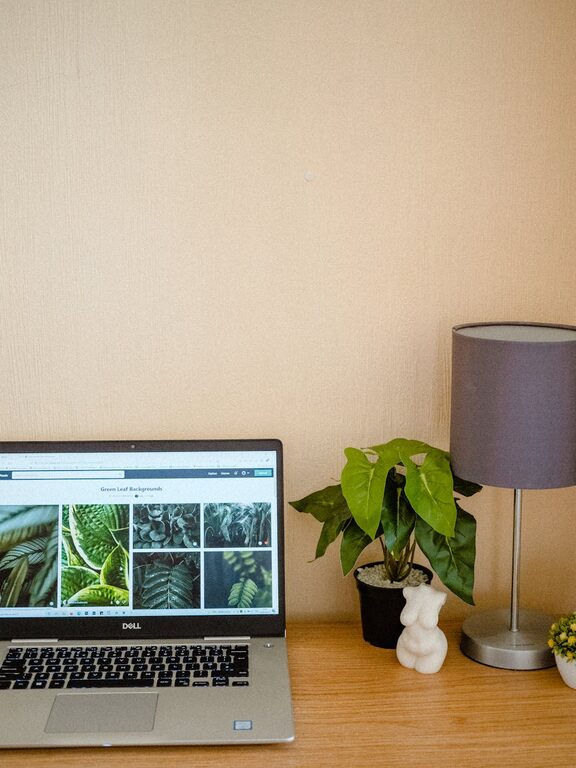

Creating a home office that is both cozy and productive can greatly improve your work-from-home experience. Whether you’re setting up a permanent workspace or just a temporary nook, the right environment can boost focus, reduce stress, and help separate work from personal life. In this post, we’ll explore practical tips that make your home office inviting and effective.
Why a Cozy and Productive Workspace Matters
Your surroundings impact your mood and motivation. A space that feels warm and comfortable encourages you to spend time there, while a productive setup helps you stay organized and efficient. Balancing comfort with functionality creates a positive atmosphere that supports your best work.
Choosing the Right Location
Start by selecting the best spot in your home for your office. Ideally, this should be a quiet area with minimal distractions. If possible, find a place with natural light, as sunlight helps maintain energy and focus.
Consider these factors:
– Away from High Traffic Areas: Minimize interruptions by choosing a room or corner less traveled.
– Access to Outlets: Ensure you have enough electrical outlets nearby.
– Ventilation: Good air flow keeps the room fresh and inviting.
If space is limited, a convertible workspace can also work well, such as a desk in a corner of the living room or bedroom.
Invest in Ergonomic Furniture
Comfortable furniture is essential for long hours of work. An ergonomic chair supports your posture and reduces back pain, while a desk at the right height improves typing and writing comfort.
Tips for furniture setup:
– Chair: Use one with adjustable height and lumbar support.
– Desk: Choose a surface large enough for your computer, paperwork, and accessories.
– Keyboard and Mouse: Position them so your forearms are parallel to the floor.
You might also consider a standing desk or desk converter to switch positions during the day.
Optimal Lighting for Focus and Ambiance
Good lighting reduces eye strain and sets the tone for your workspace. Combine natural light with layered artificial lighting.
Lighting ideas:
– Natural Light: Place your desk near a window but avoid glare on your screen.
– Task Lighting: A desk lamp with adjustable brightness helps direct light where needed.
– Ambient Lighting: Use soft overhead lights or floor lamps to create a warm, welcoming glow.
Adjust lampshades or colors to prevent harsh contrasts and shadows.
Organize with Purpose
Clutter can distract and overwhelm. Keeping your office organized helps you focus and find what you need quickly.
Organization strategies:
– Storage Solutions: Use shelves, drawers, and bins to store supplies neatly.
– Declutter Regularly: Set aside time each week to tidy up your desk.
– Cable Management: Use clips or sleeves to keep cords tidy.
Label folders and containers to make items easy to locate.
Personalize Your Space
Adding personal touches makes your office feel inviting and uniquely yours. However, keep decorations minimal to avoid distraction.
Ideas to personalize:
– Plants: Small indoor plants improve air quality and add color.
– Artwork: Hang pieces that inspire or calm you.
– Photos: Display a few favorite pictures or keepsakes.
Choose items that boost your mood without crowding your workspace.
Manage Noise Levels
Noise can impact your concentration, so find ways to reduce or mask distractions.
Noise control tips:
– Background Sounds: Try playing soft instrumental music or white noise.
– Noise-Cancelling Headphones: Useful if you share your home with others.
– Soft Furnishings: Rugs, curtains, and cushions absorb sound and add coziness.
If noise is a challenge, consider soundproofing options like weather stripping or wall panels.
Set Boundaries Between Work and Rest
To maintain balance, clearly define your work hours and space. Avoid turning your entire home into an office.
Practical boundary tips:
– Work Hours: Stick to a schedule to help mentally separate work and personal time.
– Workspace Boundaries: If possible, close the door or have a dedicated area.
– End-of-Day Ritual: Clear your desk, turn off your computer, and move away from the office.
These habits help signal when the workday begins and ends.
Add Technology That Supports Your Workflow
Reliable technology supports productivity and comfort.
Consider:
– High-Speed Internet: A fast connection prevents interruptions in virtual meetings.
– Quality Webcam and Microphone: Important for clear communication.
– Monitor: A larger screen or dual monitors reduce eye strain and multitasking hassle.
Keep your equipment updated and organized to avoid technical issues.
Incorporate Comfort Elements
Don’t forget to add small touches that improve your physical comfort.
Comfort boosters:
– Footrest: Helps maintain proper leg position.
– Temperature Control: Use fans or heaters as needed.
– Cozy Accessories: Soft blankets or cushions make your workspace inviting.
Comfortable surroundings make it easier to focus for longer periods.
—
Final Thoughts
Creating a cozy and productive home office takes some planning but pays off with better focus, comfort, and work satisfaction. Prioritize lighting, ergonomic furniture, organization, and personal touches. With a well-designed workspace, you’ll find it easier to stay motivated and enjoy your work-from-home days.
Start small and adjust your space as you go—your perfect home office is within reach!
About the Author